based typing course that leads you step-by-step to the powerful touch typing technique. No more hunt and peck, two finger typing. Within days you can memorize the qwerty keyboard and go on to developing speed.

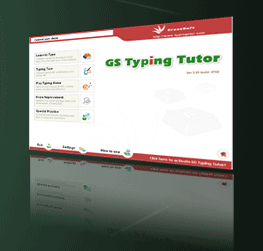
Learn touch typing with GS Typing Tutor
GS Typing Tutor is a powerful and feature-rich typing tutor for touch typing. With comprehensive typing lessons, it is an ideal a teaching tool for learning to type and developing typing speed. It is geared towards kids to adult.
As a beginner, no more hunt and peck and two finger typing. GS Typing Tutor will help you memorize the keyboard layout and go on to develop typing speed quickly.
If you know touch typing, GS Typing Tutor can help you to acquire professional touch-typing skills. Faster typing speed will save the number of time for you every day.
Specially, GS Typing Tutor provides you with the one hand typing courses; you may gain the one hand typing skill on the standard QWERTY keyboard or keyboard for one hand typing such as Dvorak Left and Dvorak Right.
The comprehensive typing lessons include in level from the basics of typing to advanced subjects, such as the numeric keypad and special characters. You can improve your typing skills through a series of easy typing lessons.
GS Typing Tutor offers an onscreen keyboard which helps a novice to find out where a key is. This guides you through locating and memorizing the letters on your keyboard.
With typing games, GS Typing Tutor makes the process of learn to type amusing. Then you can learn touch typing on a computer keyboard with fun games and improve your typing speed by playing typing games and exercises.
GS Typing Tutor will track your learning process in typing tests and try to figure out your problem keys, and find what's your WPM (words per minute). You can practise these keys with personalized review exercises to improve your typing skills and increase your typing speed and accuracy.
